Infinite canvas
Sketches, references and generated screens side by side, with room to spread out.
Sketch a screen. Build a design system. Ship the interface.
SketchMason is an AI design tool to turn hand-drawn sketches and wireframes into UI designs. Draw your layout and build consistent product flows.
Free to start. A new account comes with two generations, no card.
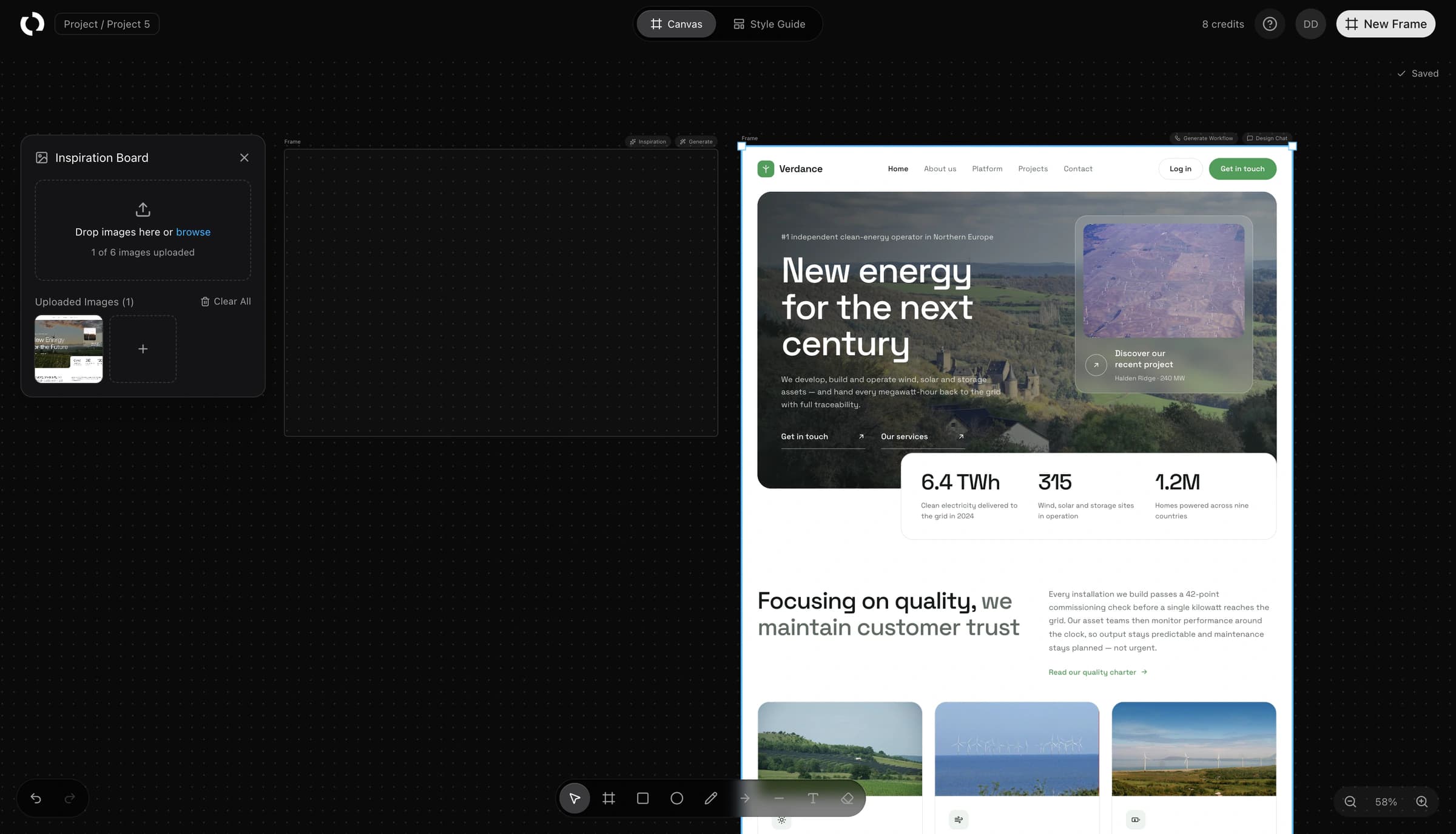
Drop in the images that carry the feeling you want. We read them for palette, contrast and type, then write a design system you can actually build against.
Start freeRectangles, circles and a few labels. The sketch decides layout and reading order. You are describing structure, not drawing pixels.
Start freeThe interface streams onto the canvas beside your sketch, so if the layout is going the wrong way you know within seconds, not after the full minute.
Start freeOpen the chat on any screen and say what you want changed. Only what you asked about moves; everything else comes back exactly as it was.
Start freeOne screen is a mock. Ask for the flow and you get the screens a user would actually reach next, all sharing the same shell and palette.
Start freeEvery stroke autosaves and the whole history is yours. A drag is one undo step, not fifty.
Start freeOne canvas, one design system, and every step from the first rectangle to the last screen of the flow.
Sketches, references and generated screens side by side, with room to spread out.
Drop in the images that carry the feeling and get a design system written from them.
A labelled rectangle is an instruction. The screen it implies gets built.
The interface arrives on the canvas as it is made, so a wrong turn shows in seconds.
Up to six images per project steer palette, density and type. They are never copied in.
Every colour, face and radius is bound to a role, so the fifth screen matches the first.
Say what should change on any screen. Only what you asked about moves.
Ask for the flow and get the screens a user would actually reach next.
The pairings that decide legibility are checked before they reach the canvas.
Every stroke is kept and a drag is one undo step, not fifty.
A header box, a hero box with two smaller boxes inside it, a row of three cards and a footer. That was the whole sketch. The page on the right is what came back, built from a design system read off two reference images.
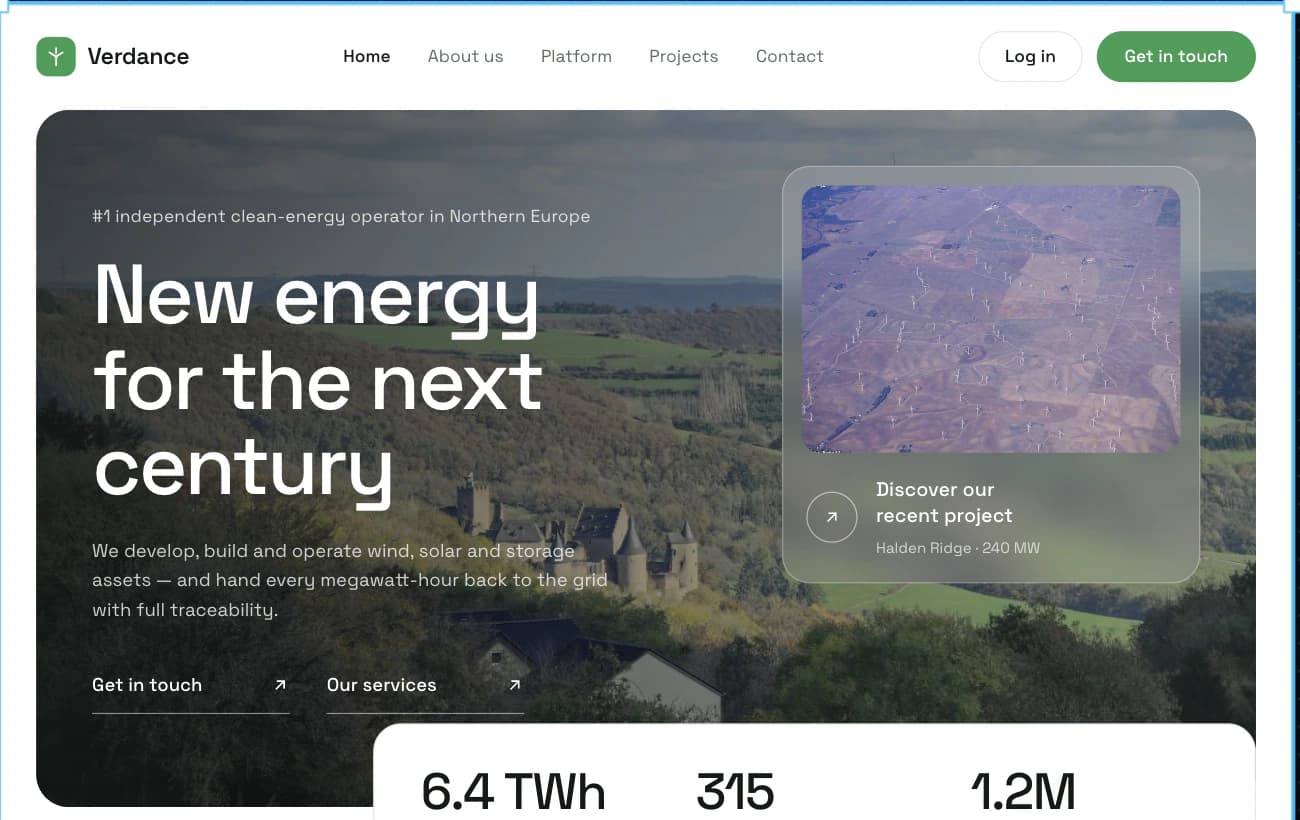
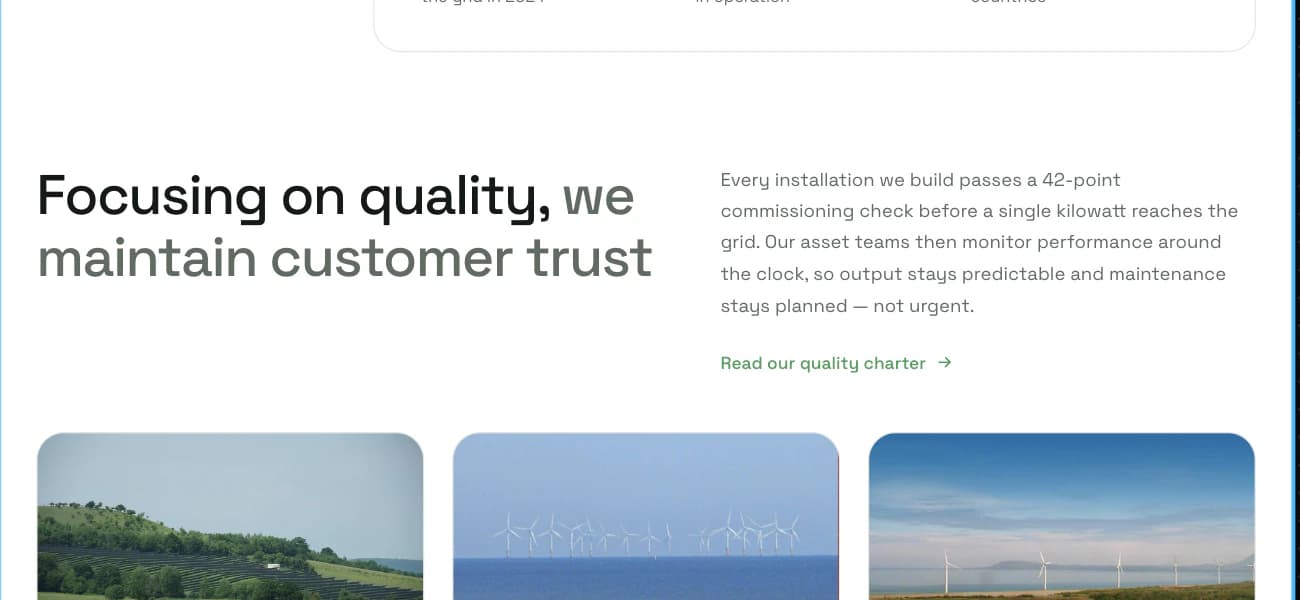
Generated from a six-rectangle sketch and two reference images.
Sketches, not prompts. Systems, not screenshots. SketchMason reads the shape you drew and builds the screen it implies, using a design system taken from your own mood board, so the fifth screen still looks like the first, and the flow around it looks like both.
A credit is one generation: a style guide, a screen, a page in a flow, or a revision from the chat. Drawing, moving, resizing and everything else on the canvas costs nothing.Start free
Free to start. A new account comes with two generations, and no card is asked for.
Start free, no card